The single best connectivity decision for a China trip is a traveler eSIM routed through international roaming. Because its data path goes via Hong Kong or international carriers, your usual apps behave exactly as they do at home — no configuration, no workarounds. This page covers choosing a plan, installing it, and the two-SIM setup that keeps everything reachable.
Step 1 — Buy and install before you fly
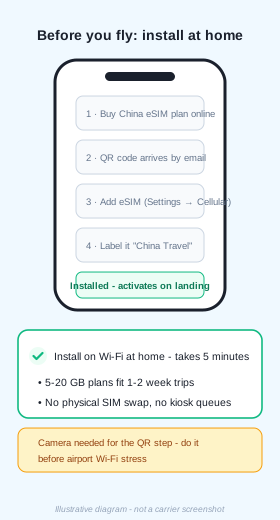
Pick a China eSIM plan from an international provider: 5–20 GB comfortably covers 1–2 weeks of maps, messaging and browsing. After purchase a QR code arrives by email — install it on Wi-Fi at home via Settings → Cellular → Add eSIM, and label the line something clear like "China Travel". Five minutes, done once, no airport kiosk queues.
Step 2 — The two-SIM setup
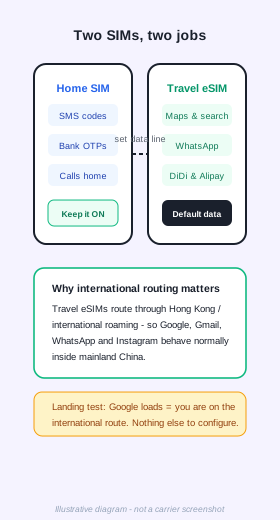
Keep your home SIM ON for SMS: banks, airlines and verification codes all reach it as usual. Set the travel eSIM as your default data line. Your phone now has two jobs split cleanly — texts to the old number, data through the international route. Remember to leave data roaming enabled for the eSIM line only.
Step 3 — Landing day
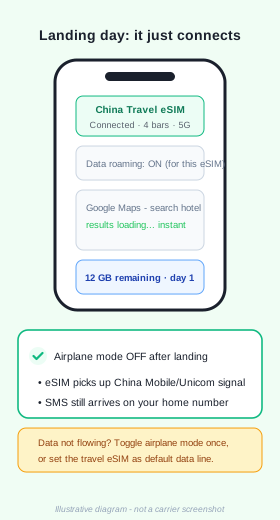
Switch off airplane mode after touchdown. The eSIM registers on China Mobile or China Unicom within a minute or two. The instant check: open Google and search something — if results load, you are on the international route and nothing else needs configuring. If data stalls, toggle airplane mode once or confirm the eSIM is the chosen data line.
Wi-Fi and physical SIM alternatives
- Hotel, airport and café Wi-Fi is widespread; login pages send their SMS code to any foreign number.
- Passport-registered physical SIMs are sold at airport counters (China Unicom and China Mobile are the most traveler-friendly). The same international-routing question applies — ask the counter which apps are reachable before paying.
- A mainland-issued SIM puts you behind the local network where Google/WhatsApp do not load; the travel eSIM above is the simple way to avoid that for short trips.
Practical notes
- Buy the eSIM at least a day before departure so support has time to help if your phone needs a manual APN entry.
- Most recent iPhones, Pixels and Samsung flagships support eSIM; verify your model is carrier-unlocked.
- Top-ups are instant in the provider's app if you burn through the plan.
- Pair connectivity with the payment setup and you have covered day one completely.
Want this plus payments, maps and ride-hailing in one printable file?
Get the free PDF guide Back to Payment Guide