Navigation is where visitors lose the most time in China — not because maps are missing, but because the default choice (Google Maps navigation) relies on street detail that has not kept up with how fast Chinese cities change. This page lays out what each app is genuinely good at, so you search with the right one and navigate with the right one.
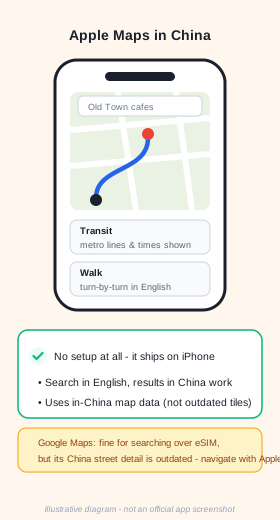
Apple Maps — works out of the box
On an iPhone, Apple Maps is the zero-setup answer: it uses in-China map data, so searching in English returns real results, and transit and walking directions are reliable. Metro line names, entrances and schedules show correctly. If you carry an iPhone, start here before installing anything.
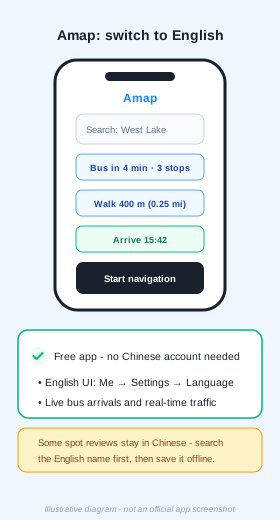
Amap (Gaode) — the power tool, in English
Amap is free and adds real-time detail the others do not have: live bus arrival times, accurate driving ETAs and lane guidance. Switch it to English under Me → Settings → Language. Some user reviews remain in Chinese — search the English place name first, then save it to your list.
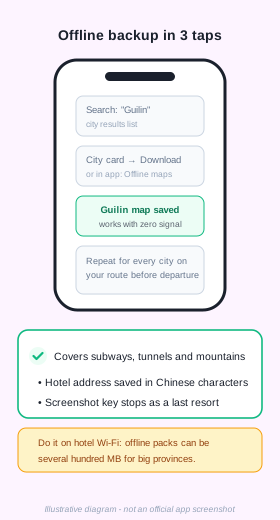
The offline backup — 3 taps per city
Download each city's offline map before departure: search the city, open its card, tap download (or use the app's Offline maps section). Offline packs cover subway tunnels, high-speed rail corridors and mountain areas where signal drops — exactly where you need a map most. Also save your hotel name in Chinese characters: showing the screen to a driver beats any conversation.
Where Google Maps fits
Over an international-routed eSIM, Google Maps loads fine and is pleasant for browsing saved places and reading reviews. Its in-China navigation detail, however, is outdated — streets move, and turn-by-turn can send you to yesterday's city. Use it to search; navigate with Apple Maps or Amap.
Two travel-specific extras
- China Railway 12306 — the official train app, in English: buy and change high-speed rail tickets using your passport as ID.
- Trip.com — English-first booking for trains, hotels and attractions, accepting PayPal and foreign cards.
- Screenshot your key stops (hotel, stations) on day one — a phone-lock-screen backup has saved many trips.
Want this plus payments, eSIM and ride-hailing in one printable file?
Get the free PDF guide Back to Payment Guide